

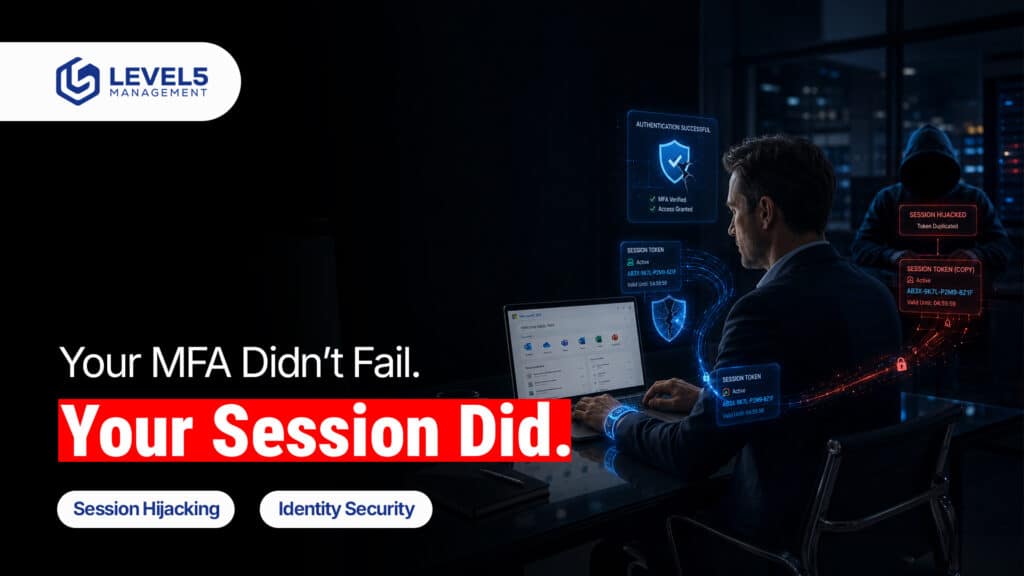
You turned on two-step login. You felt safer. So did everyone else. Then hackers figured out they don’t need to beat your logic, and they can just skip it. Here’s what’s actually happening in 2026, and how South Florida businesses can protect themselves, in plain English.
Start With a Picture You Already Know
Imagine you go to a concert.
You show your ticket at the door. Security checks your ID. Then they wrap a paper wristband around your arm. From that moment on, you don’t need to prove who you are again. The wristband does it for you. You can walk to the bar, use the bathroom, and go in and out of the venue all without showing your ticket again.
Now imagine someone slips that wristband off your wrist in the crowd.
They don’t need your ticket. They don’t need your ID. They just walk right in because everyone at the concert already trusts the wristband.
That’s exactly how hackers are getting into business accounts in 2026.
They’re not trying to guess your password. They’re not trying to steal your phone code. They’re waiting until after you log in, and then they steal your digital wristband.
In tech, that wristband is called a session cookie (or session token). And if you run a business anywhere in Boca Raton, West Palm Beach, Palm Beach Gardens, Jupiter, or Delray Beach, it’s already the #1 way attackers are getting into Microsoft 365, QuickBooks Online, and every other cloud app your team uses every day.
At Level5 Management, we’ve been the trusted cybersecurity and managed IT partner for South Florida businesses since 2008. Here’s what every owner needs to understand and what to actually do about it.
Why “We Turned On MFA” Isn’t the Win It Used to Be
First, let’s be fair: Multi-Factor Authentication (MFA) that six-digit code that pops up on your phone is still one of the best security upgrades any small business can make. Don’t turn it off.
But MFA protects the moment you log in. It doesn’t protect what happens after.
Here’s what attackers figured out:
Once you successfully log into Microsoft 365 (or Google Workspace, or Salesforce, or your accounting software), your web browser gets a little file called a session cookie. That cookie is your digital wristband. It tells every page you open, “Yep, this person already logged in. Let them through.”
If a hacker steals that cookie, they can paste it into their own browser, on their own computer, anywhere in the world, and suddenly they’re inside your account. No password needed. No text code needed. No Face ID needed.
They’re already past the front door.
The scary part: Microsoft’s own threat researchers have tracked campaigns that targeted over 10,000 organizations this way. Google’s security team has confirmed the same attack is working against their platform. This isn’t a rare thing. It’s the mainstream attack method right now.
How Hackers Actually Steal Your Wristband (Three Plain-English Examples)
Method #1: The Fake Login Page (That’s Also a Real One)
In plain English: An employee gets an email that looks like it’s from Microsoft. She clicks. The login page looks exactly right because it is right. Except she’s not on Microsoft’s website. She’s on a hacker’s website that’s secretly showing her the real Microsoft login page through a window.
She types her password. The hacker grabs it and types it into the real Microsoft site. The real Microsoft site sends her a text code. She types that too. The hacker grabs that and types it in. The real Microsoft site gives back a session cookie. The hacker grabs that and keeps it.
To your employee, the login worked perfectly. She’s in her email. Everything looks normal.
But the hacker now has her digital wristband. And he’s already walking into your company’s Microsoft 365 from a café in another country.
Method #2: Cookie Theft From an Infected Computer
In plain English: Somebody in your company clicks on a sketchy PDF. Or downloads a “free” Chrome extension. Or uses a pirated version of software at home on a work laptop.
A small program quietly installs. It doesn’t lock files. It doesn’t steal passwords. It just reads the session cookies sitting in the browser, every cookie, for every site that person is logged into, and sends them to the attacker.
Microsoft 365. QuickBooks. The payroll system. The bank. Salesforce. Dropbox. All of them.
The hacker now has all the wristbands. And the antivirus never makes a sound because nothing “bad” ever happened.
Method #3: The Hijacked Web Session
In plain English: This one is new and sophisticated. The attacker essentially creates a fake browser that your employee uses without realizing it. Every click, every keystroke, every cookie, the attacker sees it all in real time, and when your employee walks away from the computer, the attacker just keeps the session going.
This is the technique we covered in our earlier deep-dive on AI-powered cyber threats like Claude AI malware and phishing attacks, and it’s accelerating fast in 2026.
Why This Matters More for Some Businesses Than Others
If you run any of these, you should be reading extra carefully:
- Law firms: client confidentiality, trust accounts, discovery materials
- CPA and accounting firms: client tax data, bank access, wire approvals
- Wealth advisors and financial planners: FINRA-regulated communications, client portfolios
- Property management companies: tenant PII, owner funds, ACH access
- Medical practices: HIPAA-regulated records, patient data
- Nonprofits: donor data, grant funds, often-smaller IT budgets
One stolen session cookie from any of these environments isn’t just an “IT issue.” It’s a regulator-involved, client-notification, insurance-claim, state-bar, or FINRA-complaint-level event.
The Fix: Move Past Basic MFA Here’s What Actually Works
The honest truth is that text-message MFA is now a speed bump, not a wall. Good news: there’s something much better, and it’s finally easy to roll out.
The Big Upgrade: Passwordless Authentication
Instead of a password plus a text code, your employees log in with:
- A fingerprint or face scan on their laptop or phone (Windows Hello, Face ID, Touch ID)
- A passkey stored securely on the device itself
- A physical security key, a small USB stick (like a Yubikey) that has to be physically plugged in
The benefits of passwordless authentication in plain English:
- ✅ Fake login pages can’t steal a fingerprint. There’s nothing for the hacker to copy.
- ✅ No more text codes to be tricked out of.
- ✅ Employees actually like it. No more “forgot my password” tickets on Monday morning.
- ✅ It’s cheaper long-term. Password resets cost most SMBs $70–$100 per reset in help desk time. Passwordless kills that bill.
- ✅ Insurance carriers love it. Many cyber insurance premiums are now cheaper when phishing-resistant authentication is in place.
- ✅ It stops the #1 attack method. Adversary-in-the-middle phishing (Method #1 above) simply doesn’t work against passkeys and security keys.
If someone asks you why authentication is important for a company, this is the shortest honest answer: because a stolen login is how most break-ins happen, and passwordless is the first login method in a decade that attackers can’t easily fake.
The 5-Layer Defense That Actually Stops Session Hijacking
Passwordless is the biggest single upgrade, but it works best as part of a layered plan. Here’s the full defense Level5 rolls out for clients in plain language.
Layer 1: Phishing-Resistant Login for Everyone Who Touches Money or Data
Move owners, executives, finance staff, IT admins, and anyone with client data off SMS codes and onto passkeys, Windows Hello, Face ID, or physical security keys. No exceptions. No “temporary” workarounds that live for three years.
Layer 2: Device Trust (Only Healthy Devices Get a Wristband)
A digital wristband should only be handed out to a device that’s actually safe. That means:
- Company-owned, or enrolled in your management system
- Encryption turned on
- Up-to-date operating system
- Modern endpoint security running and reporting in
- No local admin rights for everyday users
If a device doesn’t meet the standard, it doesn’t get a session, full stop. This is one of the best practices of access control, and it shuts down Methods #2 and #3 above.
Layer 3: Shorter Wristbands for Riskier Rooms
Not every part of your business needs the same length of session. Email for 8 hours? Fine. Payroll system for 8 hours? No.
Tighten session policies so that high-risk apps, such as banking, payroll, accounting and HR require re-verification after a short window, after an idle period, or any time the sign-in looks unusual (new location, new device, odd hour).
Layer 4: Watch for “Someone Else Is Wearing My Wristband”
Modern identity platforms can spot patterns no human would:
- The same account signed in from Boca Raton at 9 a.m. and Lagos at 9:14 a.m.
- A session token is suddenly used from a brand-new device
- Mailbox rules are being created that hide vendor emails from the inbox
- Logins from anonymizing networks or known-bad hosting providers
You don’t need to stare at dashboards. You need a real person, your 24/7 helpdesk and security team getting paged when these patterns light up.
Layer 5: A Written Plan for “We Think a Session Was Stolen”
If a cookie gets stolen, speed matters. Have a one-page playbook that says:
- Revoke all active sessions for the affected user (one click in Microsoft 365 / Google).
- Force re-authentication with a fresh passkey.
- Check for new inbox rules, forwarding rules, and OAuth app grants.
- Review the last 72 hours of access logs for anything unusual.
- Notify leadership, legal, and your cyber insurance carrier if client data was exposed.
Most of our cybersecurity clients across West Palm Beach, Boca Raton, Jupiter, and Broward don’t have this written down. The ones that do recover in hours. The ones that don’t, in weeks.
A 10-Question Self-Check: Can a Hacker Steal Your Wristband Right Now?
Answer yes or no. Three or more “no” answers mean your business is exposed today.
- Every executive, finance user, and IT admin logs in with a passkey, security key, or Windows Hello, not a text code.
- We’ve turned off old-style login methods (legacy auth) on Microsoft 365 or Google Workspace.
- Only company-managed or enrolled devices can access our email and business apps.
- Personal phones accessing work email are inside a protected container that we can wipe remotely.
- Our banking, payroll, and accounting apps time out quickly and require re-verification for sensitive actions.
- A real person monitors our security alerts 24 hours a day, 7 days a week.
- We would be alerted if the same account signed in from two countries within an hour.
- We have a written plan for “a user’s session may be stolen, what do we do?”
- We’ve trained our team that a perfect-looking login page can still be a trap.
- We’ve had a security assessment in the last 12 months that specifically tested for session hijacking risk.
Scoring:
- 9–10 yes: You’re in strong shape. Keep it up with a yearly check-up.
- 6–8 yes: You have real exposure. One or two projects will close most gaps.
- 5 or fewer yes: You’re a prime target. Please don’t wait for the incident to prove it.
How Level5 Management Protects South Florida Businesses From Session Hijacking
Since 2008, Level5 has been the trusted IT, cybersecurity, and compliance partner for law firms, CPAs, wealth advisors, property management companies, medical practices, and nonprofits across Florida: Boca Raton · Miami · Fort Lauderdale · West Palm Beach · Palm Beach Gardens · Jupiter · Jacksonville · Orlando · Tampa · Sarasota · Naples Colorado: Denver · Colorado Springs · Boulder · Fort Collins · Lafayette Arizona: Phoenix · Scottsdale · Tucson · Mesa · Chandler · Tempe
Our session-hijack-proof identity engagement includes:
- Free IT Risk Assessment available for Boca Raton, Palm Beach Gardens, Royal Palm Beach, Riviera Beach, North Palm Beach, South Palm Beach, Loxahatchee Groves, Lake Worth, Coral Gables, Palm City, Cooper City, Jupiter, and West Palm Beach businesses
- Passwordless rollout passkeys, security keys, and Windows Hello, deployed without disrupting your team
- Device trust and conditional access, so only healthy, approved devices get logged in
- vCISO / Virtual CISO services executive-level security leadership, available in Boca Raton, Miami, and Jacksonville, for a fraction of a full-time hire
- 24/7 helpdesk and security monitoring, real people watching your environment at 3 a.m. on a Sunday, because that’s when attackers work
- Dark web monitoring, we alert you the moment your team’s credentials show up for sale in Boca Raton, Palm Beach Gardens, and beyond
- HIPAA, SOC 2, FINRA, and FTC Safeguards compliance guidance built in
- Written incident-response playbooks, including session-hijack and account-takeover scenarios
- Tested backup and disaster recovery, because an untested backup is just a hope
We don’t sell fear. We sell visibility, written proof, and peace of mind so your next client audit, insurance renewal, or regulator conversation is the easiest meeting on your calendar.
Ready to Make Your Business Session-Hijack-Proof?
Book a free 30-minute call with Level5 Management. We’ll walk through your current login setup, show you exactly where a hacker could steal a wristband today, and hand you a plain-English action plan whether you hire us or not.
👉 Schedule Your Free IT & Security Assessment 📞 Or call us directly: (561) 509-2077
Because in 2026, the businesses that stay safe aren’t the ones with the most passwords. They’re the ones no password can betray.
Frequently Asked Questions
What is session cookie hijacking, in plain English? It’s when a hacker steals the small file your browser uses to keep you logged into a website, your “digital wristband.” Once they have it, they can walk into your account without needing your password or your two-step code, because the website already thinks they’re you.
Why is authentication important for a company? Because over 80% of business break-ins involve stolen or weak logins. Strong authentication, especially passwordless methods like passkeys and security keys, removes the single most-exploited attack path, lowers your cyber insurance premiums, and protects the client data your reputation depends on.
What are the benefits of passwordless authentication over regular MFA? Three big ones. It’s safer because fake login pages can’t steal a fingerprint or a physical key. It’s faster, no resets, no text codes, no “forgot my password” tickets. And it stops the #1 attack method (adversary-in-the-middle phishing) that regular text-message MFA can’t.
Does MFA still matter if attackers can steal session cookies? Yes, don’t turn it off. MFA blocks a huge percentage of basic attacks. But MFA alone isn’t enough anymore. Pair it with passwordless, device trust, short session timeouts, and 24/7 monitoring, and you close the gaps attackers are actively exploiting today.
What is user-based authentication, and how is it different? User-based authentication ties each login to a specific person (not a shared account), plus the device they’re on and the context of the request (location, time, behavior). It’s the modern replacement for the old “one username and password for the whole office” approach, and it’s one of the best practices of access control in 2026.
How would we know if one of our session cookies was stolen? Without the right monitoring, you probably wouldn’t know that’s what makes it dangerous. With a proper identity monitoring setup, you get alerts for impossible-travel logins, new-device logins, suspicious mailbox rules, and unusual access patterns. Most of our clients have never had this set up before we did it for them.
What should a company do if it thinks a session has been hijacked? Move fast: revoke all active sessions for that user, force a fresh passwordless sign-in, check for new forwarding rules or OAuth app grants, review the last 72 hours of access logs, and notify leadership, legal, and your cyber insurance carrier if client data was exposed. Have this written down before it happens; during is too late.
How much does a cybersecurity assessment cost in Boca Raton or West Palm Beach? For most small and mid-sized businesses in Palm Beach or Broward counties, a professional assessment runs between $2,500 and $15,000, depending on size and which rules you follow (HIPAA, SOC 2, FINRA, FTC Safeguards, etc.). Level5 offers a free IT risk assessment for qualified businesses across Boca Raton, West Palm Beach, Palm Beach Gardens, Jupiter, Royal Palm Beach, Riviera Beach, North and South Palm Beach, Loxahatchee Groves, Lake Worth, Coral Gables, Palm City, and Cooper City.
What’s the difference between regular IT support and a vCISO? Regular IT support keeps your technology running. A vCISO (Virtual Chief Information Security Officer) is a senior security leader who sets your strategy, rolls out passwordless and identity controls, handles compliance, and represents you to insurance carriers, auditors, and regulators. You get C-level security expertise for a fraction of a full-time hire and Level5 offers vCISO services in Boca Raton, Miami, and Jacksonville, specifically designed for small and mid-sized businesses.
What are the best practices of access control for a small business in 2026? Five things, in order of impact: (1) passwordless or phishing-resistant login for everyone who touches money or data, (2) least-privilege access people only get into what they actually need, (3) device trust, so only healthy, managed devices get in, (4) short session timeouts on high-risk apps like banking, payroll, and accounting, and (5) 24/7 monitoring that can spot a stolen session and kill it fast.
Do we need a written cybersecurity policy for a small business? Yes, and increasingly, your insurance carrier, your clients, and (if you’re regulated) your auditor will require it. A practical information security policy for a small business covers acceptable use, password and authentication rules, device requirements, data handling, incident response, and vendor management. Level5 builds these for clients in plain English, not 80 pages of legal boilerplate nobody reads.
How does passwordless authentication help prevent ransomware? Most ransomware attacks start with a stolen login. When a criminal can’t steal your login because your team uses passkeys and security keys that can’t be phished, the most common path into your business is closed. Combined with proper ransomware protection for businesses (tested backups, endpoint detection, network segmentation), passwordless is one of the highest-ROI moves you can make.
Does Level5 serve businesses outside Boca Raton? Yes. We serve small and mid-sized businesses across Florida: Boca Raton · Miami · Fort Lauderdale · West Palm Beach · Palm Beach Gardens · Jupiter · Jacksonville · Orlando · Tampa · Sarasota · Naples Colorado: Denver · Colorado Springs · Boulder · Fort Collins · Lafayette Arizona: Phoenix · Scottsdale · Tucson · Mesa · Chandler · Tempe* with on-site visits across Palm Beach and Broward counties and remote support everywhere else in Florida.
Article written by the Level5 Management team. Level5 Management is a Boca Raton–based managed IT, cybersecurity, and compliance partner serving small and mid-sized businesses across South Florida since 2008.
